Turn product photos into 3D and AR.
Send photos of a product and its real size. We build a 3D model scaled to that size, and a person checks it before it goes live. Shoppers rotate it, then tap “View in your space” to see it in their own room through their phone, with no app to install. The check adds waiting time, so this is not instant.
2 free models, no card. Works with Shopify, WooCommerce or any site. AR opens on iPhone and on Android phones that support it; other phones see the 3D model.
Built from a single catalogue photo (Amazon Berkeley Objects, CC BY 4.0). Drag it.
Photo in. 3D out. Try it on your phone.
Real models we generated, each next to the photo it came from. Tap “View in your space” on your phone to put one in your room.
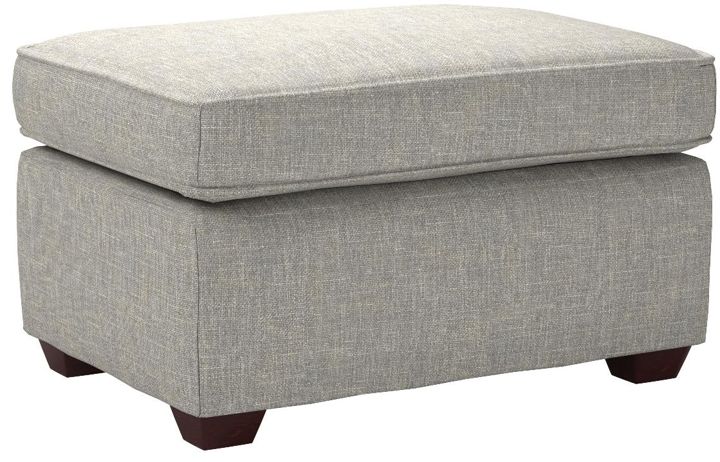
Photo: Amazon Berkeley Objects, © Amazon.com, CC BY 4.0.
From photos to a live product page
-
Send photos
A phone is enough. One clear front photo works; 20–40 all round is best. Have CAD or 3D files already? Upload those instead.
-
We build it, then a person checks it
The build takes about 5 to 10 minutes. We scale the model to your real dimensions, a person checks it, and you get a link you can open on any phone to look at it and share with your team.
-
Put it on your store
Once it passes the check, it goes live on the matching product page. One script tag, once. Products without a model show nothing.
Size is the question a photo cannot answer
“Will it fit?” is hard to settle from photographs. When the shopper can see the piece at the size you entered, in their own room, they can check for themselves.
What works well, and what does not
Furniture, decor, lighting
Scaled to the dimensions you enter and checked by a person. Best results come from 20–40 photos walking round the piece in even light.
Harder cases
Glass tops, mirrors, high gloss, dark leather and thin wire are hard for any photo-based tool. We tell you before you spend a credit whether we think a piece will work.
Jewellery and shoes
Not launch products. In our own tests rings and shoes came out weaker than furniture, so we treat them as pilots. Send one and we will say honestly whether it works.
Built for your category
Furniture
Let them place it in their own living room, at the size you entered, from your product page. No app, no measuring tape, no guessing.
Lighting
Shoppers place your light in their own room and see exactly how far it drops and how much space it takes.
Home decor
A vase that arrives half the expected size is a return and a bad review. Let shoppers see it on their own shelf first.
Electronics
Let shoppers inspect every side of the product and check it against their own desk or shelf before they buy.
Footwear
Shoppers turn the shoe over, look at the sole, and check the profile — the things they would do in a shop.
Priced in rupees. Supported in Tamil.
Most 3D commerce tools are priced in dollars and supported in US hours. Ours are priced in rupees, take local payment methods, and come with a dashboard in Tamil and English.
- Plans from ₹499/month, billed in INR
- Tamil and English throughout the dashboard
- Support in the timezone you actually work in
- No unlimited-generation promises we would have to break
One line to install
<script src="https://cdn.trylook.app/embed.js"
        data-store="YOUR_STORE_KEY" async></script>
The script detects the product on the page, asks whether a model exists, and renders a button only if one does. It loads the 3D viewer on click — never before.
Questions
How good are the models? Will they match my product?
They are built from your photos and scaled to the real size you enter, so they look like your product from the front and sides you photographed. Anything the camera never saw, like the underside of a shoe, is filled in by the model, so we tell you which photos matter most: mark the front photo, and add a photo of the sole, back or top when it matters. Every model is checked by a person against your dimensions before it goes live on your store.
Does AR work on my customers’ phones?
On iPhones, and on Android phones that support Google’s ARCore, which is most phones sold in the last few years. There is nothing to install: it opens straight from your product page. Phones that do not support AR still get the full 3D viewer.
What photos do I need?
A phone is enough. Even light, a plain background, and the product filling the frame. One clear front photo is the minimum; 20–40 photos all round give the most accurate result. Already have CAD or 3D files? Upload those instead and skip the photos.
How long does it take, and what does it cost?
The build takes about 5 to 10 minutes, then a person checks the model before it goes live, which adds waiting time. You get 2 free models with no card to try it on your own products; plans start at ₹499 a month, billed in rupees.
Jewellery, glass and shiny products?
These are the hard cases for any photo-based tool, so so we treat them as pilots. For jewellery you tell us the metal and we render it as gold, silver or platinum; in our own tests rings came out weaker than furniture, so send one and we will tell you honestly whether it works. Very fine chains, wire and clear glass are the limit. If you have a CAD file for a piece, upload it and it will look its best.
Will it slow down my store?
No. One small script (under 4 KB) that only loads the 3D viewer when a shopper taps the button. Products without a model show nothing.
Send us one product.
You get a 3D model you can open on your phone and show your customers. No card, no install.
Make my first 3D model — free